CRM Tasks & Deadlines — Assignees Linked to Leads and Deals
Run installation follow-ups in Commo CRM Tasks: To do / In progress / Done, assignees from the team, due dates, and links to the deal on the board.
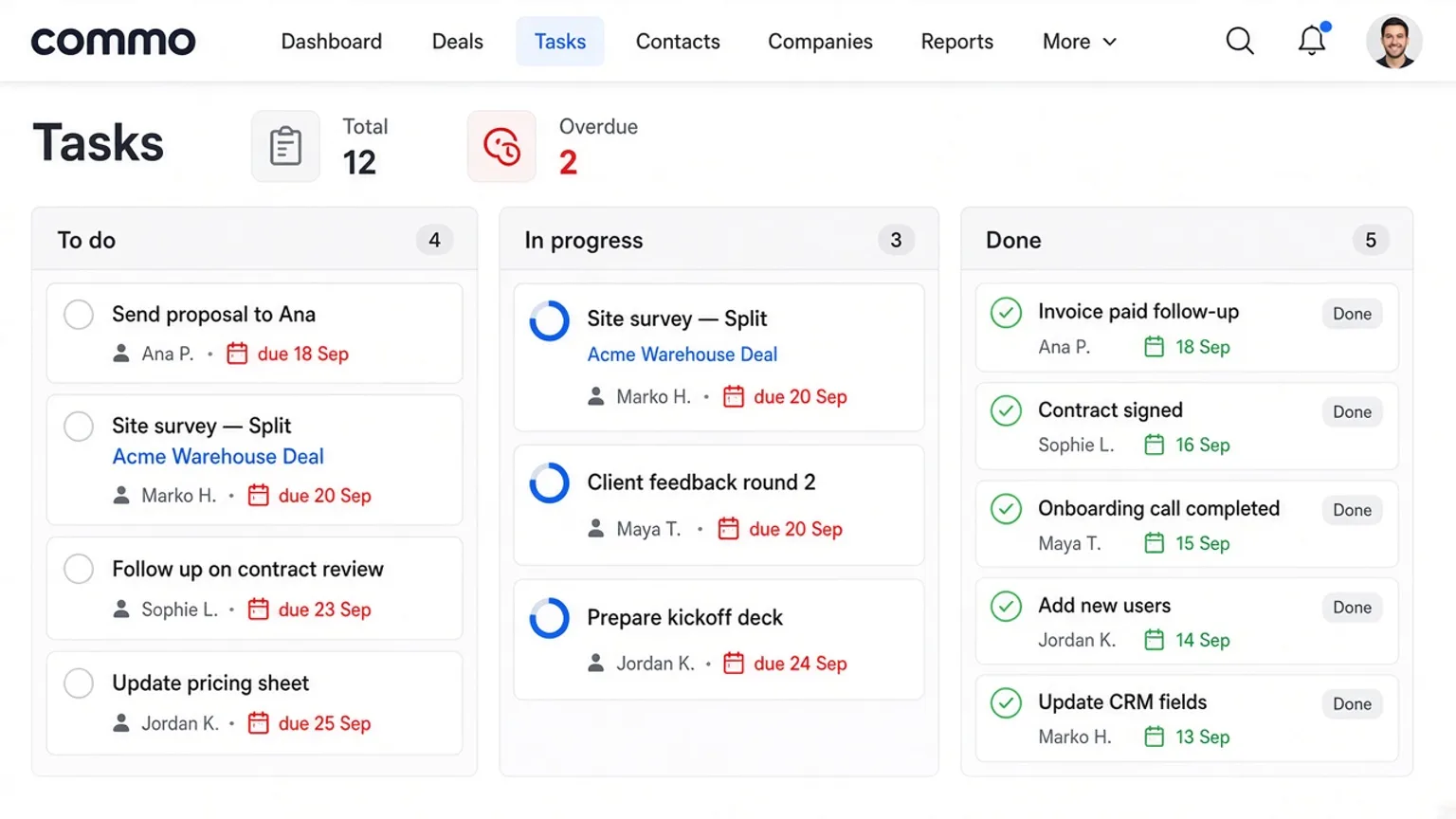
Tasks are the execution layer under your pipelines. Cards show assignee and due date; overdue count sits in the stats row. Demo: “Send proposal to Ana” and “Site survey — Split” for Balkan Solar Install.
Board columns and list view
Default task statuses: To do → In progress → Done. Switch Kanban or List. Create a title, pick assignee from company members, set a deadline, optionally link a lead or deal so context is one click away.
Scenario: proposal + site survey
After Hotel lighting package moves to In progress, Ana creates “Send proposal to Ana” due in two days and assigns herself. She creates “Site survey — Split” for Marko Horvat, linked to the same deal. Marko gets a task_assigned notification.
When the survey is finished, drag to Done — the deal drawer notes stay the source of truth for the customer conversation.
Why link tasks to deals
Unlinked tasks drift. A blue deal title on the card reminds the crew which job site and amount they are protecting. Finance still lives on the deal; tasks only track work.
| Status | Task | Assignee | Due |
|---|---|---|---|
| To do | Send proposal to Ana | Ana Petrović | 18 Sep |
| In progress | Site survey — Split | Marko Horvat | 20 Sep |
| Done | Invoice paid follow-up | Ana Petrović | 12 Sep |
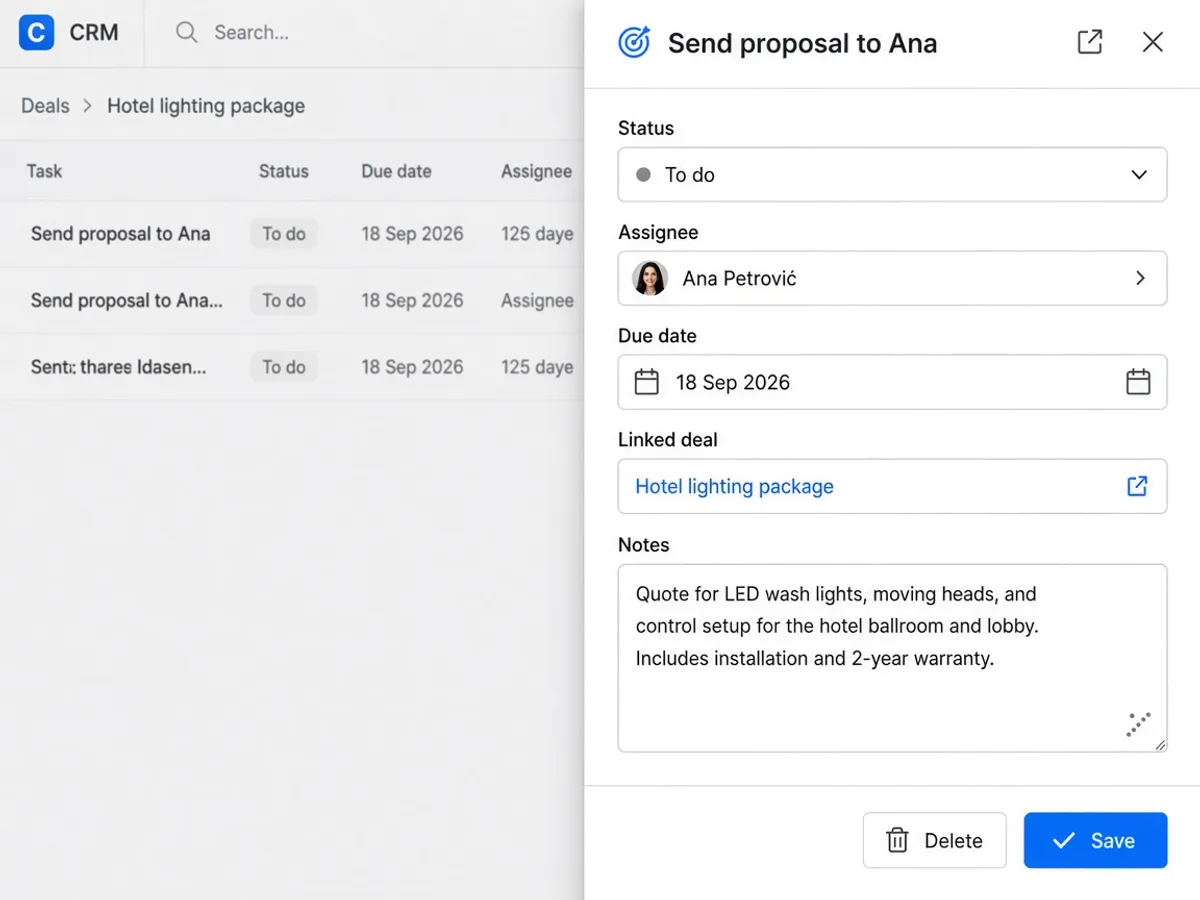
| Field | Purpose | Demo |
|---|---|---|
| Assignee | Who executes | Marko Horvat |
| Deadline | When it is late | 20 Sep 2026 |
| Lead / Deal link | Context | Hotel lighting package |
| Status | Board column | In progress |
Assign every open deal at least one next task with a date. Open Tasks in Commo CRM and link the card to the deal your crew is installing this week.
Open Commo CRM · CRM workspace · Leads board · Tasks · Finance
FAQ
- Can a task exist without a lead or deal?
- Yes. Link is optional. Linking keeps site context on the card.
- Who can be an assignee?
- Any member of the active company from the team list.
- What happens when I assign someone?
- They get a task_assigned notification unless they assigned themselves.
- How do I see overdue work?
- The Tasks stats row shows Overdue; late cards stay visible on the board.