CRM Leads & Deals Boards — From First Call to Won Job
How Commo CRM kanban boards move work from New lead to Won deal: columns, owners, convert, and a demo pipeline for Balkan Solar Install.
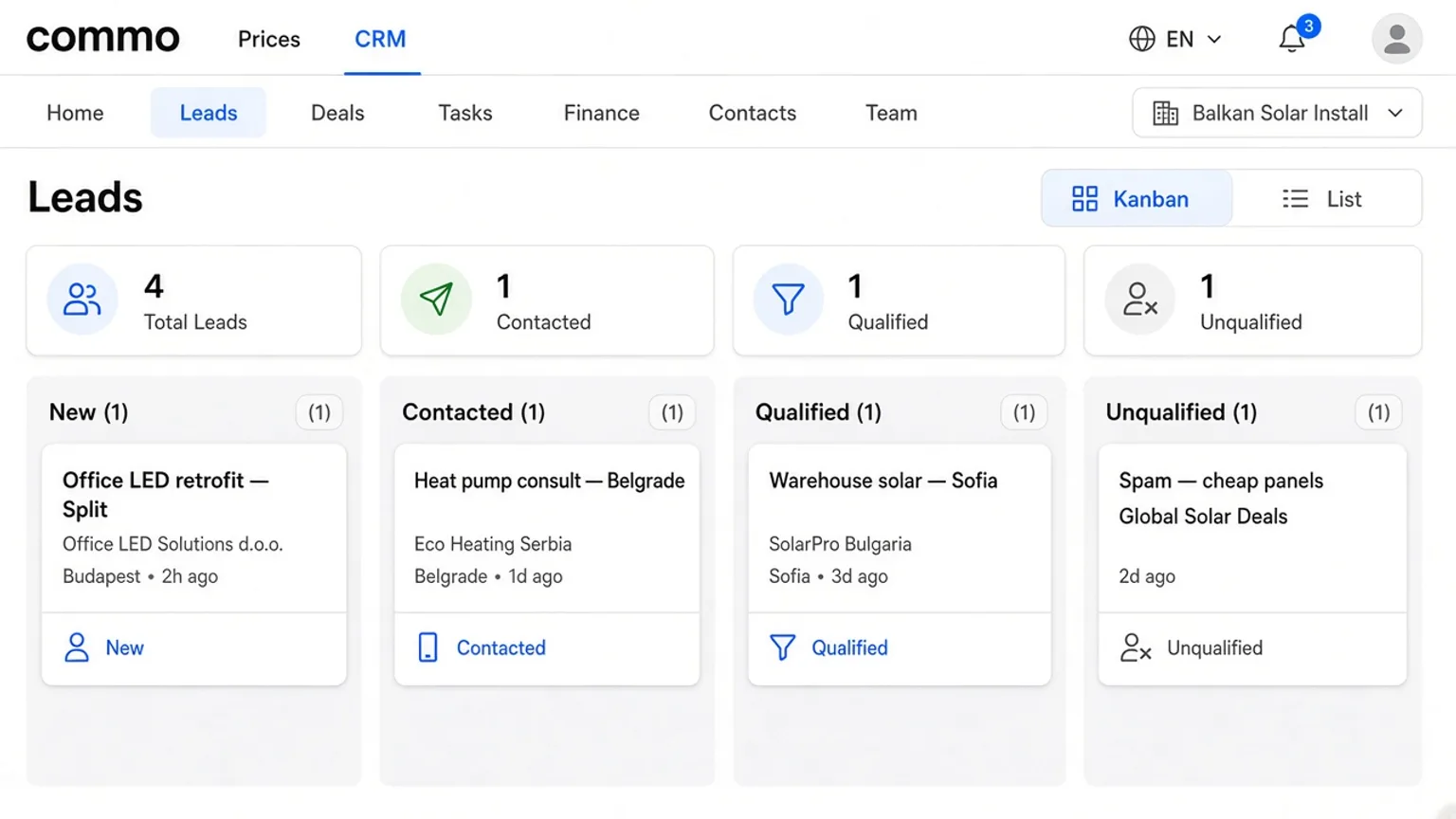
Leads and Deals are two pipelines with the same board UI. Leads answer “is this real demand?” Deals answer “where is the money?” Demo company Balkan Solar Install shows filled columns — not empty placeholders.
Lead columns that match the phone
Default lead statuses: New → Contacted → Qualified → Unqualified. Card “Office LED retrofit — Split” starts in New; after the site call it moves to Contacted; a signed survey request lands in Qualified. Junk quotes go to Unqualified instead of cluttering chat.
Set an owner on the card so the next reply has a name. Search and status filters keep large boards usable.
Scenario: convert when the quote is accepted
Ana qualifies “Heat pump consult — Belgrade”, opens the drawer, and hits Convert. Commo CRM creates a deal in New with optional amount/currency, linked back to the lead. The deal board then uses New → In progress → Won → Lost.
Example amounts on screen: AC install — 3 units €4,200 (New), Hotel lighting package €18,500 (In progress), Retail HVAC renewal €9,800 (Won). Drag cards between columns; the drawer still holds notes and the Finance tab.
Owners and handoffs
Changing the responsible person notifies them in-app (unless they assigned themselves). Use that when a sales lead hands a Won-path deal to an installation PM.
| Column | Card | Next step |
|---|---|---|
| New | Office LED retrofit — Split | Book survey call |
| Contacted | Heat pump consult — Belgrade | Send heat-pump options |
| Qualified | Warehouse solar — Sofia | Convert to deal |
| Unqualified | Spam — cheap panels | Archive / ignore |
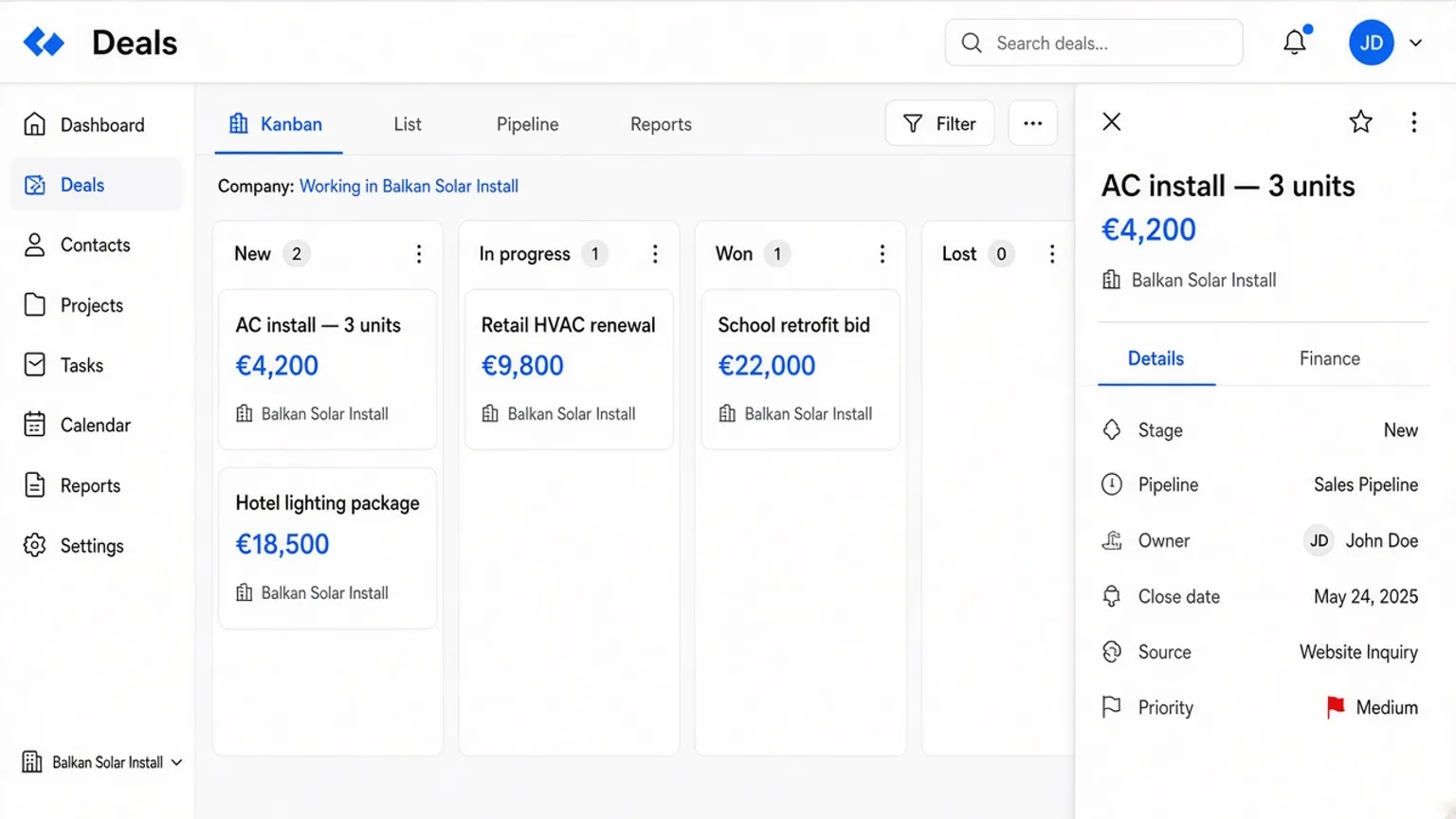
| Column | Deal | Amount |
|---|---|---|
| New | AC install — 3 units | €4,200 |
| In progress | Hotel lighting package | €18,500 |
| Won | Retail HVAC renewal | €9,800 |
| Lost | School retrofit bid | €22,000 |
Keep one honest definition of Qualified and Won for the whole team. Then open the Leads board, convert a real card, and watch it appear under Deals with an owner.
Open Commo CRM · CRM workspace · Leads board · Tasks · Finance
FAQ
- What is the difference between a lead and a deal?
- A lead is unqualified or early demand. A deal is accepted commercial work with optional amount and currency. Convert creates the deal from a qualified lead.
- Can I rename pipeline columns?
- Statuses are seeded per company (New, Contacted, … / New, In progress, Won, Lost). Cards move between those columns on the kanban.
- Who gets notified when I change the owner?
- The new owner receives an in-app notification, unless they assigned themselves.
- Where do deal amounts show?
- On deal cards in accent blue and in the deal drawer; finance transactions are separate lines on the Finance tab.